RSS Feed

Contact


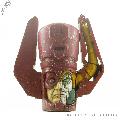
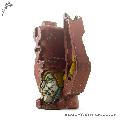
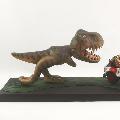
Indiana Jones and the Temple of Doom Statue Replica

A replica of the statue in Indiana Jones and the Temple of Doom that turns out to conceal a secret passage when pushed in just the right place.
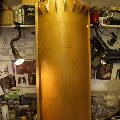
As always when replicating a prop, I started with research. I was unable to find any production shots of the statue and so had to rely on grabbing screenshots from the DVD. Careful examination of statues in the background suggested that there were at least three variations used to dress the set. Unfortunately, the 'hero' design was only clearly visible from a very limited number of angles and the style and detailing of the others was noticeably different. It was clear that I was going to have to make some assumptions about several areas of tha statue. I based some of these on visible elements on the other statues, as well as on pictures of real temple statues that appeared to have been used as reference by the set sculptors.
The build started with the construction of a plywood frame curved over rounded formers. I then cut additional formers to define the curved mouldings at the upper part of the pillar. The whole structure was thoroughly sealed with liquid PVA. I drew on the figure's outline, allowing for the distortion caused by the curve of the pillar's surface. Next, I cut pieces of insulation foam to fill in the thicker parts of the figure. This was to reduce both the weight and volume of materials used. I then started blocking in the main form of the statue using WED clay.

Click to view image
indiana_jones_temple_doom_statue_build_01_pillar.jpg
Click to view image
indiana_jones_temple_doom_statue_build_02_foam.jpg
Click to view image
indiana_jones_temple_doom_statue_build_31_clay.jpg

Since the sculpt was done over the course of several evenings, it was important to keep it from drying out by spraying it thoroughly, covering it in damp cloths and then wrapping it in bin liners between sessions. I found I needed to mix a little mold and mildew removing liquid with the water to stop mold from growing on the damp surface. Despite my precautions to prevent it from drying out, I still had occasional problems with cracks forming where some parts dried more quickly than others, particularly where they were in contact with the wooden formers. The WED clay was fairly quick and easy to work with, being very soft at first, for building up large areas and firming up after a few hours to hold detail quite well.

Click to view image
indiana_jones_temple_doom_statue_sculpt_01.jpg
Click to view image
indiana_jones_temple_doom_statue_sculpt_02.jpg
Click to view image
indiana_jones_temple_doom_statue_sculpt_03.jpg

I had decided to use brush-on silicone to make a one-piece blanket mould. Once the sculpture was finished, I coated it with mould release and then applied two layers of brush-on silicone. I then applied a third coat incorporating sheets of thin cotton fabric for reinforcement. The mould used a total of 3.3kg of silicone but was thinner than I'd have liked. I left the silicone for 24 hours to ensure it had completed curing, in order to avoid alcohol from the silicone from contaminating the resin used for the mother mould. Next I layed up the fibeglass mother mould directly over the silicone. When the fibreglass had cured, I gently eased all of the edges of the mould apart before inserting an air hose from my compressor between the silcone and the sculpture. Forcing air in in this way made it much easier to separate the mould from the model, but it was still not an easy process. In retrospect, although the piece was designed avoiding undercuts, a two-part mother mould would probably have been much easier to work with for a cast of this size.

After treating it with plenty of mould release, I applied several coats of Gel-coat to the inside of the mould. It took around 1.5kg of Gel-coat to build up a satisfactory layer in all of the detail. I then applied fibreglass. This was a long process as there were a lot of complex curves and corners. Once the fibreglass had cured, I separated it from the mould, again using the compressed air technique.

Click to view image
indiana_jones_temple_doom_statue_mould_01_release.jpg
Click to view image
indiana_jones_temple_doom_statue_mould_02_silicone.jpg
Click to view image
indiana_jones_temple_doom_statue_mould_03_fibreglass.jpg
Click to view image
indiana_jones_temple_doom_statue_mould_04_parts.jpg
With the cast safely freed from the mould I worked over the surface removing small blemishes and bubbles. The finish would have probably have been much better had I had the facilities to de-gas large volumes of silicone. Since I was rapidly running out of time, I had to get it ready for display as quickly as possible. Because of this, I was unable to spend the time I'd have liked finishing the surface and working the slight warps out of it. I constructed a display base from timber and plywood and secured the statue to it. The statue was primed and painted before being weathered with acrylic paint using washes and stippling.

The piece was displayed at the Memorabilia show at the Birmingham NEC, along with my live display of some of the insect species used in the movie.

Click to view image
indiana_jones_temple_doom_statue_finished_01_weathering.JPG
Click to view image
indiana_jones_temple_doom_statue_finished_02_display.jpg
Click to view image
indiana_jones_temple_doom_statue_finished_03_indy.jpg

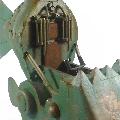
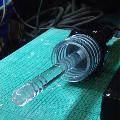
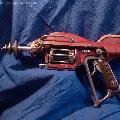
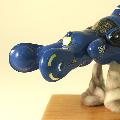
The B-Fin Black Beam Source - a customised Weta Dr Grordbort ray gun

My entry for a contest run by New Zealand Special Effects and Collectibles company Weta. Weta produced a limited run of raw, unfinished versions of their 'Righteous Bison' gun. The brief was to turn it into a new weapon that would still fit into the Grodbort Universe.

I took my inspiration from the look of classic Flash Gordon ray guns and from Chinese cannons that had sculpted dragon figure heads. I also thought it would be fun to work an actual bison into the design, hense the prominent 'hump' and the cylinder forming a kind of rib cage. When spoken aloud, the name 'B-Fin Black Beam Source' reflects both the bovine nature of the gun and the Chinese influence.

Click to view image
bfin_grordbort_custom_001_left.jpg
Click to view image
bfin_grordbort_custom_002_right.jpg
Click to view image
bfin_grordbort_custom_003_three_quarter.jpg
Click to view image
bfin_grordbort_custom_004_front.JPG
Click to view image
bfin_grordbort_custom_005_cartridge.jpg

I'm proud to be able to report that my gun received honourable mention, coming in just outside the prizes thanks to some stiff competition from over fifty amazing entries from around the world. Full details of the build here


Customising a Weta Dr Grordbort ray gun

An entry for a contest run by FX company Weta. The task was to customise one of their 'Dr Grordbort Righteous Bison' ray guns, which was supplied unpainted.

Looking through Doctor Grordbort's Contrapulatronic Dingus Directory, I realised that the Grordbort style is not simply 'Steampunk'. There are Art Deco themes and elements of some fairly heavy duty machinery that look more contemporary than the usual Victorian influence. After doing numerous sketches, I felt that this would be a case where less equaled more; I wanted to avoid the trap of covering the weapon with too many unnecessary widgets and losing its form. I singled out a few key ideas and worked them into a design that I hoped would maintain the spirit of the original, despite leaving very little of it intact. There are several features on my design that echo shapes on the original but are actually entirely different structures.

The first task was to take the rather nice raw gun and strip it to its component pieces using a heat gun and brute force. I then cut a profile for the main frame from a piece of wood and test fitted the handle and grip from the base gun.

Click to view image
bfin_grordbort_custom_01_starting_base_gun.JPG
Click to view image
bfin_grordbort_custom_020_starting_cutting_frame.JPG
Click to view image
bfin_grordbort_custom_022_starting_frame_test_fit.JPG

One of the key features on which I had decided was a swing-out cylinder mechanism which would contain glass vials of fluid. This needed to be built pretty solidly so I decided to make it from aluminium. I also decided to reinforce the wooden frame with metal parts so as to avoid weak points. I started by cutting out the side plates (which were intended to echo design elements in the donor gun) from 2mm aluminium. The side plates provided a strong frame to support the hinge mechanism for the cylinder. This was cut out of 10mm aluminium plate and hand-filed to shape. I made up a simple sprung bolt system that would hold the cylinder in place by pressing a domed nozzle against a depression in the base of the 'cartridge' vials, and release it when pulled back with a slider fixed to one of the plates. It took a lot of filing to make the slider!

Click to view image
bfin_grordbort_custom_03_cutting_hinge_sideplate.JPG
Click to view image
bfin_grordbort_custom_04_cutting_hinge_plate.JPG
Click to view image
bfin_grordbort_custom_05_hinge_plate_parts.JPG
Click to view image
bfin_grordbort_custom_06_hinge_plate_parts_assembled.JPG
Click to view image
bfin_grordbort_custom_12_cylinder_hinge_release_parts.JPG

I made the ends of the cylinder from 5mm aluminium, first drilling the holes and then cutting out the shape. I then bolted each end-piece to a piece of metal stock mounted in the lathe and turned it to clean up my roughly cut edges. The support poles for the cylinder were cut to length, turned and faced on the lathe to get a nice finish, then drilled and tapped to they could be screwed into place. The middle support was made from aluminium tubing to house a spindle that screwed into the hinge mechanism.

Click to view image
bfin_grordbort_custom_07_drilling_cylinder_end.JPG
Click to view image
bfin_grordbort_custom_08_cutting_cylinder_end.JPG
Click to view image
bfin_grordbort_custom_09_turning_cylinder_end.JPG
Click to view image
bfin_grordbort_custom_10_turning_cylinder_end.JPG
Click to view image
bfin_grordbort_custom_11_cylinder_end_complete.JPG
Click to view image
bfin_grordbort_custom_19_cylinder_end_test_fit.JPG

The end caps for the cartridges were made from brass rod. I turned and faced them to shape and then bored out a hole to fit a small glass vial. The vials were 'smoked' by spraying them inside with transparent lacquer. They were then filled with machine oil tinted with a different colour for each cartridge.

Click to view image
bfin_grordbort_custom_13_cylinder_cartridges_stock.JPG
Click to view image
bfin_grordbort_custom_14_cylinder_cartridges_turning.JPG
Click to view image
bfin_grordbort_custom_15_cylinder_cartridges_turning.JPG
Click to view image
bfin_grordbort_custom_16_cylinder_cartridges_facing.JPG
Click to view image
bfin_grordbort_custom_17_cylinder_cartridges_boring.JPG
Click to view image
bfin_grordbort_custom_18_cylinder_cartridges_complete.JPG

The structure to hold the barrel needed to be strong, so at its core I made an aluminium plug that friction-fit the inside of the barrel tube. I then built wooden formers around it to make the front of the gun. This allowed me to slide the barrel in and out as needed, and replace it with a length of tube clamped in a vice when I needed to hold the whole model securely. The barrel piece in the photos was a short length I used when making the formers.

Click to view image
bfin_grordbort_custom_20_front__formers.JPG
Click to view image
bfin_grordbort_custom_21_front__barrel_mount.JPG
Click to view image
bfin_grordbort_custom_22_front__assembly.JPG

The bulk of the gun's body was made using epoxy putty sculpted over wooden formers. The formers help get the curves right when sculpting it. Once the putty is cured it is sanded and filled repeatedly until the shape is exactly right. For this project I didn't want it completely smooth as it needed to look like slightly battered metal. I used plastic mesh to make the texture that I hoped would end up looking like a well used wooden grip.

Click to view image
bfin_grordbort_custom_23_body_formers.JPG
Click to view image
bfin_grordbort_custom_24_body_grips.JPG

I had set myself the task of as far as possible not using 'found items' for this build, so all the detail pieces needed either to come from the original gun or to be fabricated by hand. I replaced the screw I'd been using to hold the hinge mechanism in place with a custom-turned aluminium pommel. I bent the various lengths of copper piping to shape by first heating them to red hot with a gas torch, then once they were cool enough to touch, taping the ends and filling them with sand and bending them by hand. Heating copper chemically changes it, temporarily making it softer. The sand prevented them from kinking too badly. I made the body for the pressure gauge from brass rod turned on the lathe. I designed the dial to look slightly art deco. The glass for it is in fact a found item, coming from a Pound Shop compass. I sculpted the bison head using Sculpy when I needed time to work with the modelling, and Millput where I needed it to harden without first being removed and baked in the oven.

Click to view image
bfin_grordbort_custom_25_details_pommel_turning.JPG
Click to view image
bfin_grordbort_custom_26_details_pommel_threading.JPG
Click to view image
bfin_grordbort_custom_27_details_pommel_complete.JPG
Click to view image
bfin_grordbort_custom_28_details_gauge.JPG
Click to view image
bfin_grordbort_custom_29_details_pipe.JPG
Click to view image
bfin_grordbort_custom_30_details_figure_head_sculpt.JPG

With the building complete, I scribed panel lines into the surface and drilled dozens of tiny holes into which I would later glue the pins which would represent rivets. I primed and sanded the gun and then painted the base coat with car spray paint that I decanted into my airbrush. Next I added stippled areas of texture using acrylics. I attached the detail pieces and started weathering using lacquers and ink washes. I added worn areas and scratches using a fine brush. I wanted it to look used but not abused, with the look of slightly grimy, well oiled heavy machinery.

Click to view image
bfin_grordbort_custom_32_painting_primed.JPG
Click to view image
bfin_grordbort_custom_331_painting_panels.JPG
Click to view image
bfin_grordbort_custom_332_painting_finished.JPG
Click to view image
bfin_grordbort_custom_34_painting_finished.JPG
Click to view image
bfin_grordbort_custom_36_painting_complete.JPG

There are more pictures of the finished piece here.


Low Budget Flux Capacitor

A replica of the Flux Capacitor that makes time travel possible in Back to the Future. We built this for my son's school assembly. It took roughly a weekend to build and cost about £15.

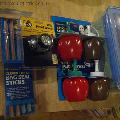
To keep the cost down, most of the parts came from the Pound Shop. The most expensive part was the box, which cost £5 at Tesco. We later added a Pound Shop bike light, a couple of sheets of plastic and a few bits from my spares box for details. I cut the backing panel and the small angled strips that form the raised platform from plywood. The cables were lengths of mains flex fixed to the sauce dispenser caps using steel pins. After painting some of the parts, a quick test assembly looked promising.

Click to view image
flux_capacitor_1_parts.jpg
Click to view image
flux_capacitor_2_parts_test_assembly.jpg

I desoldered the white LEDs from the head lamp and connected them to lengths of wire. They fitted pretty neatly inside the bag seal tubes. I had planned to tint them yellow to match the colour of the lights in the film, but found that the yellow was visible when they were switched off, which didn't look as nice. I butchered the Pound Shop bike light and patched the white LEDs into appropriate parts of its flashing sequence to create quite a nice animated effect. I bypassed the bike light's switch with a momentary switch taken from the head lamp connected to a length of wire.

Click to view image
flux_capacitor_3_light_test1.jpg
Click to view image
flux_capacitor_4_light_test2.jpg

All that remained was the box itself. I cut the window out of the lid and also an access panel in the rear of the box to allow for changing batteries. I cut the gasket from a sheet of black plastic, and the window from a clear sheet and hot-glued them onto the box once it had been painted. The Flux Capacitor assembly then slotted neatly in and was screwed into place. The Dymo labels should really have been red, but in the interest of keeping the costs down I stuck with the black that came with the labeler.

Click to view image
flux_capacitor_5_complete_on_bench.jpg
Click to view image
flux_capacitor_6_complete_lit2.jpg
Click to view image
flux_capacitor_7_complete_lit.jpg
Click to view image
flux_capacitor_8_complete_sm.gif

Pound Shop Arc Reactor

Built for an online competition run by the Replica Prop Forum. The challenge was to create a custom Arc Reactor (like the ones seen in Iron Man's chest in the movies) using only parts from the Dollar Store (or in my case Pound Shop). This was a particularly exciting competition for me as the site is frequented by some of the best model makers and builders of movie props.

The main inspiration for my take on the Arc Reactor was the scene in Iron Man 2 where Stark replaces the burnt-out palladium fuel in his reactor. The unit opens up to eject the spent fuel and a new palladium ingot is inserted. The reactor then retracts the fuel and heat-sinks around the cylindrical body clamp shut. At the time of the competition, Iron Man 2 had not yet been released on DVD, so I had only my vague memories of the sequence with which to work and I was pretty sure I wasn't going to replicate it exactly.

The following images show what I came up with. There is also a small animation showing the mechanism in action.

Click to view image
arc_complete_0_front_off.jpg
Click to view image
arc_complete_1_front.jpg
Click to view image
arc_complete_2_rear.jpg
Click to view image
arc_complete_3_rear_open.jpg
Click to view image
arc_complete_4_animation.gif

I am delighted to say that my reactor was voted best overall in the competition, despite some spectacular opposition.

Full details of the reactor's construction here.


Building the Pound Shop Arc Reactor

Built for an online competition run by the Replica Prop Forum. The challenge was to create a custom Arc Reactor (like the ones seen in Iron Man's chest in the movies) using only parts from the Dollar Store (or in my case Pound Shop).

I started by trawling the Pound Shops in my area for anything that looked like it might contain useful parts. It's an odd paradox that many of the most promising items ended up being useless while some of the simplest products proved invaluable. Lateral thinking is essential for this kind of part-hunting. Next, I dismantled everything, being careful to keep all the screws and even the packaging.

After a lot of trial assembly, I finally decided on a satisfactory layout for the front of the reactor (I'm quite tempted to build final versions of some of the alternatives I pieced together during this stage). At the centre is part of the dynamo and from a hand-powered torch. This sits on a disc cut from a shiny metal hanging garden decoration which in turn fits into a translucent blue plastic ring used to store a set of in-ear headphones.

I decided to go for an industrial, manufactured look rather than the prototyped model seen in the first film. With this in mind, I avoided exposed coils of wire, opting instead for a set of enclosed modules surrounding the ring. I made these using sections cut from the guards of disposable razors. I detailed them with strips of ribbed cable ties, which were later painted copper-coloured to suggest internal coils of wire.

Click to view image
arc_build_front_1_razor_parts.jpg
Click to view image
arc_build_front_2_razor_layout.jpg
Click to view image
arc_build_front_3_razor_assembled.jpg

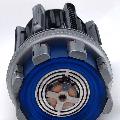
I was disappointed not to have found anything with a usable motorised gearbox to power the ejection mechanism, so I had to rethink how that would work. A quick return visit to the Pound Shop produced two lever-action cork screws. After some extensive Dremel surgery I was able to assemble a four-armed Frankenstein cork screw. To my surprise, the mechanism worked quite well with all four levers extending when the central shaft moved, and vice-versa. With the concept proved, I used my angle grinder to chop the arms down to stumps and to remove the screw and handle from the shaft.

Click to view image
arc_build_frankenstein_corkscrew.jpg

The corkscrew mechanism defined the required length of the reactor for me. It was longer than I'd have liked, but I felt it was acceptable since I had decided on a heavy-duty, industrial reactor and the one seen in the movie seemed to go an awfully long way into Stark's chest anyway! A solar decklight with an interesting ribbed body provided the bulk of the cylinder. I cut a hole in its diffuser and fitted the body of a large highlighter pen into it to make an internal shaft which would house the palladium holder.

Click to view image
arc_build_diffuser2.jpg
Click to view image
arc_build_diffuser_1.jpg

I used the legs from some mini tripod torches with interesting detailing to extend the cylinder, providing gaps through which the corkscrew arms could protrude. The metal surround for the decklight conveniently matched the diameter of the lantern body I planned to use for the front of the reactor, providing a nice solid rear plate into which I could drill additional mounting holes and fix the main switch.

I stripped the rubber from the handles of some disposable razors and used them as additional detailing on the cylinder. Further skinned razor handles were cut to length, detailed with sections of cable tie and mounted on the stumps of the corkscrew arms. These became the main levers that close around the cylinder and are used to open the unit.

Click to view image
arc_build_cylinder_00_tripod_torch.jpg
Click to view image
arc_build_cylinder_01_assembly.jpg
Click to view image
arc_build_cylinder_1_razor_handles.jpg
Click to view image
arc_build_cylinder_2_assembly.jpg
Click to view image
arc_build_cylinder_3_assembly_top.jpg

The corkscrew action also defined the space into which I'd need to build the receiver mechanism that accepts the palladium. I used the end of a plastic tent peg as a circular cover for the end of the shaft. A clip-on booklight (which incidentally, my partner spotted being used as a prop in V for Vendetta) donated a useful device with a friction-regulated spring that would move the cover out of the way when it opened. The clip from the battery cover on the booklight made a nice retaining clip for the palladium - which was cut from the plastic body of the light. After some careful measuring and adjustment, I mounted the receiver on the end of the corkscrew shaft so that it aligned correctly. Moving the corkscrew arms now extended the receiver out of the hole, and the circular cover automatically moved to one side allowing access to the palladium strip inside.

Click to view image
arc_build_receiver_1_components.jpg
Click to view image
arc_build_receiver_2_mounted.jpg
Click to view image
arc_build_receiver_3_open.jpg

I desoldered the LEDs from an inspection light and some small torches and wired them together in parallel before fixing them to a useful circular piece of clear plastic packaging. All additional wiring came from a reel of speaker cable. With a bit of trimming I was able to fit this assembly inside the blue plastic ring and feed the central LED up behind the dynamo part. The blue plastic dimmed the LEDs more than I'd have liked, but I was still quite happy with it. I wanted a battery source that was compact. I considered button cells but doubted they would power the nine LEDs for long. Instead, I cut up the 3 AA battery holder from the inspection light to make one single and one pair holder which I then wired in series. I cut the body of a camping lantern down to the minimum height possible to contain the battery holders, while retaining the thread for its screw-on lid which would allow access to the batteries when needed. The front elements of the reactor were mounted on the lid.

Although I already had a manual power switch from one of the torches, I wanted the LEDs to switch off and on when the reactor was opened or closed, so I experimented with various switches from the other lights and torches without much success - they all required too much pressure to activate. I finally decided on a low-tech solution, braiding some speaker wire to make a brush which would make contact with a piece of metal from a battery clip, mounted on the end of the corkscrew shaft. I fixed the brush inside a ring cut from the bulb holder on the lantern and gripped this inside a part from the booklight. I detailed the parts with yet more invaluable strips of cable tie, as they would be visible from some angles. The brush device was then mounted inside the battery compartment so that the end of the corkscrew shaft passed through the ring and made contact when the unit was closed.

Click to view image
arc_build_electronics_1_led_assembly.jpg
Click to view image
arc_build_electronics_2_battery_compartment.jpg
Click to view image
arc_build_electronics_3_switch_tube.jpg
Click to view image
arc_build_electronics_4_assembly.jpg

I used a range of metallic laquers to finish the reactor, ranging from dull steel through aluminium to chrome, as well as occasional points of copper. I opted to have several parts in plain black as I felt it made the details stand out and gave the finished piece more depth. For much of the contruction, I painted the individual parts before assembling them.

The complete list of Pound Shop ingredients looks like this:

  • 1 x Camping lantern
  • 1 x Mini solar decklight
  • 1 x Mini earphones set
  • 1 x 'Hanging swirly' garden ornament
  • 1 x Hand-powered flashlight
  • 1 x LED Inspection light with head strap
  • 1 x Pack disposable razors
  • 1 x Pack cable ties
  • 1 x Pack of speaker wire
  • 1 x Folding book light
  • 2 x Corkscrews
  • 4 x Mini tripod torches
  • 1 x Highlighter pen
  • 1 x Pack lighted tent pegs
Pictures of the completed Arc Reactor here.


Aliens M40 Grenade

The multi-purpose M40 grenades are standard issue for the Colonial Marines in James Cameron's Aliens. They could be detonated manually by removing the cap and pressing the timer button, or launched from the iconic M41A pulse rifle. The machined design made this the perfect first project for my new lathe.

The grenade was turned from a length of aluminium rod. For simplicity, I opted to make the cap part of the main body. Several people have asked how I made the ribbed section. This was done by first setting up my dial indicator touching a tooth of one of the thread-cutting gears, then using this as an index, manually rotating the chuck for each groove until the indicator zeroed. Each groove was made with an unpowered pass using a V-shaped tool, with the slide set at an angle.

Click to view image
aliens_m40_turning_1_progress.JPG
Click to view image
aliens_m40_turning_2.JPG

I primed and painted the cap section. Despite having cut a shallow channel in the right spot to make it easier, painting the white stripe proved unsatisfactory, so I instead cut and applied strip of PVC tape.

The M41A pulse rifle props in the film were made by grafting a Remington shotgun onto a Thompson sub machine gun using a SPAS shotgun cage. The shotgun portion represented the grenade launcher. This particular m40 grenade was made at a slightly reduced scale so as to replace the dummy shotgun cartridge in the chamber of my pulse rifle replica. It would be nice to be able replicate loading grenades into the magazine via the bottom of the SPAS cage, but there is very little spare room inside the replica. My next customisation is instead likely to be improving the look of the Remington chamber and bolt with the addition of an extractor claw.

Click to view image
aliens_m40_complete_cap.JPG
Click to view image
aliens_m40_complete_loading.JPG

American Werewolf in London Nightmare Demon

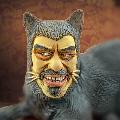
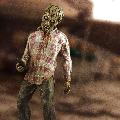
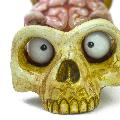
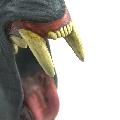
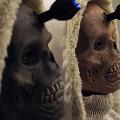
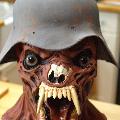
Described variously as 'Nightmare Demons', 'Zombie Werewolves' and 'Nazi Demons', these characters appear only briefly in John Landis' An American Werewolf in London but make a big impact. Despite having only three weeks' notice, as soon as I heard that there would be a costumed celebration of the movie at London's Curzon Cinema, I knew I had to make one of these creatures.

The result is a custom-made pull-on latex mask with resin teeth and a fibreglass helmet. The eyes are painted on the inside of clear acrylic hemispheres.

Click to view image
19_awil_mask_complete.jpg
Click to view image
21_awil_mask_complete.jpg

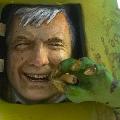
The costume was completed with a Swedish army tunic that was customised by my partner, Katherine who added black epaulettes and collar. The finished outfit was able to replicate a key shot in the film fairly closely. I was also happy to be asked to pose with John Landis himself for publicity shots (Landis photo courtesy of Mark Mawston).

Click to view image
22_awil_costume_complete.jpg
Click to view image
24_awil_costume_complete_landis.jpg

In depth construction details for the mask here.


Making An American Werewolf Nightmare Demon Mask

Originally described to effects artist Rick Baker as 'Nazi Demons', Baker realised the nightmare creatures in An American Werewolf in London by creating a range of pull-on rubber masks. In my opinion, one of the most striking creations was the 'zombie werewolf' (also known as the War Demon). Recreating the creature in this case was rather a rush-job as I only had three weeks of weekends and spare time to complete the project, necessitating some cutting of corners.

I sculpted the head using a blend of Roma and Newplast oil-based clays on an old lifecast left over from a previous project. I had gathered together as much reference material as I could, but had very few clear images of the original creature. This made reconciling the various angles into a three-dimensional model quite a challenge.

Click to view image
01_awil_clay.jpg
Click to view image
02_awil_clay.jpg

A plaster mould was built up over the helmet using Herculite 2.

The helmet mould was treated first with two coats of shellac and then waxed with several coats of beeswax.

The mould was coated with a layer of gelcoat. Once this was tacky, it was painted with fibreglass resin and sections of fibreglass matting that had been precut to fit were laid on.

After the resin had cured, the helmet cast was worked loose from the mould. I was pleasantly surprised to find that despite the slight undercuts, I was able to remove it and leave the mould reasonably intact.

The helmet was then trimmed and thoroughly scrubbed before being rubbed down with wet/dry paper. A strap was riveted into place. I then sprayed the helmet with plastic primer before finishing it with acrylic paints.

Click to view image
03_awil_helmet_mould.jpg
Click to view image
04_awil_helmet_mould.jpg
Click to view image
07_awil_helmet_mould.jpg
Click to view image
08_awil_helmet_cast.jpg

I initially made each tooth individually in Super Sculpey which was then oven-cured. I then built the gums (or more accurately the mandible portion of the skull, since the gums were supposed to be rotted away) in place on the clay head using Milliput, inserting each tooth as I went.

Once the Milliput had cured and the rest of the sculpt was complete, the teeth/gum assemblies were carefully removed from the mouth. The extreme angles of the teeth made for a challenging mould design, but I decided on a two part silicone mould with a plaster support shell.

To make the plaster shell, the teeth were first embedded in clay where the first half of the mould would be. On top of this, I added a layer of rolled clay over the teeth. This area would later be replaced with silicone. I also added clay keys which would hopefully help the shells align, as well as a pouring chimney. I mixed Herculite 2 plaster to the consistency of whipped cream and applied it over the clay leaving only the outer edges of the keys and the top of the pouring chimney uncovered.

Once the plaster had set, the mould was flipped over and the clay stripped out. The mould was lined with a new layer of rolled clay. The teeth assembly was inserted on top, and an additional clay layer added to cover it. Two tall pouring chimneys were added so that they would extend into the chimney in the plaster shell. I then brushed petrleum jelly over the exposed plaster. The second half of the plaster shell was now built up over the first half and the clay. Pouring holes were drilled out with a masonry drill after the plaster had cured.

With the plaster shell complete, the first half was once again lined with rolled clay and the teeth were carefully embedded, following the edges of each tooth to ensure that the two halves would release correctly. The clay and teeth were sprayed with mould release. The mould was closed and the dividing edges sealed with clay. A batch of RTV silicone was made up, with 5% silcone fluid added to improve flow and poured in via the pouring chimney. The mould was then vibrated for several minutes to release any bubbles, using a power drill with an off-centre attachment in the chuck. The mould was then placed in a pressure tank at 40PSI until the silicone had cured.

After curing overnight, the mould was inverted, opened up and the clay carefully removed leaving the teeth embedded in the first half of the silicone. The teeth and silicone were sprayed with mould release. The mould was closed, sealed with clay and a second batch of silicone pured in through the pouring holes. The mould was vibrated and then returned to the pressure tank overnight.

In case of any accidental resin leakage, the plaster cases were coated with shellac and then beeswax. They were then closed up and sealed with clay. 125ml of clear polyester resin was mixed with 4ml of ivory pigment and 50 drops of catalyst added. This was poured in a steady, thin stream into one of the pouring chimneys once the resin reached the top of both chimneys, the mould was placed in the pressure tank overnight.

Examining the outside of the mould, it was evident that thinner areas of the resin had not completely cured due to being unable to build up sufficient exotherm. The mould was therefore placed in a fan assisted oven at 140 degrees for 90 minutes to heat cure any remaining thin parts of the cast.

Click to view image
10_awil_teeth_mould.jpg
Click to view image
11_awil_teeth_mould.jpg
Click to view image
12_awil_teeth_mould.jpg
Click to view image
14_awil_teeth_mould.jpg

I built a clay wall around the sculpture dividing the front and back sections. I then covered the front of the head with Herculite 2 plaster. Once the front plaster half had set, I stripped off the dividing clay and added some wedges that would later provide access points for prising the two halves apart. The edge of the front half was coated with petroleum jelly. I then built up the plaster for the back half.

After the back half was cured, I carefully separated the two halves and removed the lifecast and remains of the clay sculpt. On previous occasions when mould-making, I have always painted an intial coat of very thin plaster to make sure all the detail of a sculpt is fully covered before reinforcing with heavier layers of plaster. Unfortunately I found that thin layers of Herculite are prone to cracking (possibly due to exotherm). This did not become apparent until I separated the mould halves. Fortunately, I was able to patch up the worst of the cracks using epoxy putty and due to design and texture of the head, the visible damage on the finished cast was minimal. For reference, the entire project required around 20kg of plaster

Click to view image
05_awil_head_mould.jpg
Click to view image
06_awil_head_mould.jpg
Click to view image
09_awil_head_mould.jpg

I mixed an approximate decomposing flesh colour in latex pigment and stirred it into around 250ml of prevulcanised liquid latex. I applied two coats of this over each half of the mould. I then mixed up an identical batch of pigmented latex, this time adding a thickener. Two coats of thickened latex were applied to each half. Next I used thinner pigmented latex to stick overlapping squares of single-ply tissue into each half forming a kind of latex papier-mache. I repeated this with a second layer. The two halves were then reassembled and the seam filled first with thickened latex, then using the tissue technique.

Talcum powder was blown into the opening of the mould, and the edge was peeled away. Further talcum powder was blown between the mould and the rubber. The rubber was carefully fully detached from the mould, blowing powder in periodically. I was relieved to find that it released cleanly even from the deepest parts of the mould. The mask was throughly washed in warm water.

Click to view image
13_awil_head_casting.jpg
Click to view image
15_awil_head_casting.jpg

Next, the mask was trimmed and the exterior seam filled with thickened latex. The mask was airbrushed using pax paints mixed from liquid acrylic, airbrush medium and prosthetic adhesive. The teeth were fixed into place using epoxy glue and self-tapping screws.

Click to view image
16_awil_mask_painting.jpg
Click to view image
17_awil_mask_painting.jpg
Click to view image
20_awil_mask_painting_complete.jpg

I used clear acrylic domes from a taxidermy supplier for the eyes. These have the advantage of an inner lens-recess that gives a nice highlight on the pupil. I painted the irises on the inside of the domes using acrylic paints. The eye holes were cut out with a scalpel. The inner edges of the eye lids were beaded with prosthetic adhesive and the acrylic eyes slipped into place. Once the adhesive had dried, the eyes were reinforced on the inside with a layer of latex and tissue.

Click to view image
18_awil_eyes_complete.jpg

More pictures of both the completed mask and the full costume here.


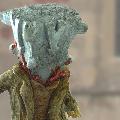
Dot Robot Punk

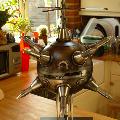
A commission for Jason Bradbury. 'Punk' is one of the robots from Jason's new book 'Dot Robot'. The model was built in around six weeks and required over fifty bespoke hand-cast resin parts.

The body uses a pair of prefabricated shatterproof plastic hemispheres. I made custom router jigs to cut the panel lines into the surface of the sphere. The 'eye' panels were treated with transparent black acrylic and back-lit with arrays of LEDs. The inner spikes are interchangeable, allowing different lengths to be attached using magnets.

The base is wood and uses perspex rods to support the robot, which contains an inner wooden frame.

Jason has posted a video of his first meeting with the finished robot on his site.


Click to view image
punk_complete_front.jpg
Click to view image
punk_complete_lighted_angle.jpg
Click to view image
punk_complete_lighted_close.jpg
Click to view image
punk_complete_lighted_front.jpg
Click to view image
punk_complete_lighted_front_angle.jpg
Click to view image
punk_complete_low_angle.jpg
Click to view image
punk_complete_rear.jpg
Click to view image
punk_complete_rear_angle.jpg
Click to view image
punk_complete_rotors.jpg
Click to view image
punk_complete_upper_angle.jpg
Click to view image
punk_complete_with_jason_bradbury.jpg
Click to view image
punk_complete_with_jason_bradbury_small_spike.jpg

Building Punk

A commission for Jason Bradbury. Jason wanted a model of one of the robot characters from his new book 'Dot Robot' that he could take on his 'Robot Roadshow' tour to help promote the book.

The robot, named 'Punk' is a steel plated sphere equipped with retractable and extendable spikes which contain various probes and accessories and which can be used to propel it when it rolls along the ground. It also has a set of retractable rotor blades.

The spikes were made in three parts - the extendable spike itself, the bulky base part into which the spike retracts and a collar where the base is mounted onto the robot's body. I tried to design it to suggest that the base section could also retract into the body. The master for the spike was made from nylon stock, while the collar and base were both made from wood. All were turned on a lathe. They were then extensively sanded and filled and moulded in silicone. A set of resin parts were cast. When making the resin parts, I embedded neodymium magnets into the bases and spikes allowing the spikes to be interchangeable.

The rotor blades were made from polystyrene sheet heat formed in the oven. The rotor hub was scratch built from plastic and PVC tubing, polystyrene sheet and steel rod capped with a lathe-turned nylon spike. All parts were then primed, sanded and finished using metalic lacquer.


Click to view image
punk_build_01_wood_base.jpg
Click to view image
punk_build_02_spike_master.jpg
Click to view image
punk_build_03_spike_master_primed.jpg
Click to view image
punk_build_04_spike_mould_frame.jpg
Click to view image
punk_build_05_spike_mould_prepared.jpg
Click to view image
punk_build_06_base_mould_prepared.jpg
Click to view image
punk_build_07_primed_bases.jpg
Click to view image
punk_build_08_primed_rotor.jpg
Click to view image
punk_build_09_undercoated_bases.jpg
Click to view image
punk_build_10_painted_collars.jpg
Click to view image
punk_build_11_painted_spikes.jpg

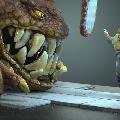
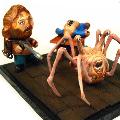
Munny Thing

A custom vinyl Munny. Continuing the theme of favourite 80's movies started with my Blade Runner Munny Spinner, I based this custom on a scene from John Carpenter's The Thing.

I had to take a few liberties with the scene to make it work. To be accurate, there should have been a third head involved, emerging from the chest of the body on the table (both of which would be on fire!), but I felt this would have over-complicated the diorama.


Click to view image
thing_munny_complete_1.jpg
Click to view image
thing_munny_complete_2.jpg
Click to view image
thing_munny_complete_3.jpg
Click to view image
thing_munny_complete_4.jpg
Click to view image
thing_munny_complete_5.jpg
Click to view image
thing_munny_complete_6.jpg
Click to view image
thing_munny_complete_7.jpg